
When designing a product of any kind, it can be useful to create mock-ups of the final model to test it out on users. User testing helps to make sure that the product functions properly and roots out any problems with the design before final production.
Creating a prototype can be time-consuming and come at a high cost with the materials used to make it. This is why there are different types of prototypes, each of which are different levels of exactness. These are low fidelity, medium fidelity, and high fidelity.
A Brief Summary of Low to High Fidelity Prototyping
A low fidelity prototype is a simple rough presentation that focuses on a product’s basic structure and functionality. This type of prototype is best used at an early point in the design process, since it is a simple mockup to find any glaring issues with the product.
A medium fidelity protype is more accurate and has some interactivity with basic user interface. This type of prototype is best for receiving user feedback on specific iterations of a project.
A high-fidelity prototype is highly detailed and refined to mimic the final product as closely as possible. By making the prototype as close to the final product, this allows for accurate user testing and functionality before producing the actual product. A specific kind of low fidelity prototype is a paper prototype.
The Fun of Paper Prototypes
A paper prototype is a physical paper mock-up of a product, usually digital. It is a low cost and easy way to test out a design on users. This method of prototyping can be used to create products for any type of device. Any method can be used to make a paper prototype; some designers sketch out their design ideas while others manipulate printed materials to create low fidelity representations to help visualize the product.
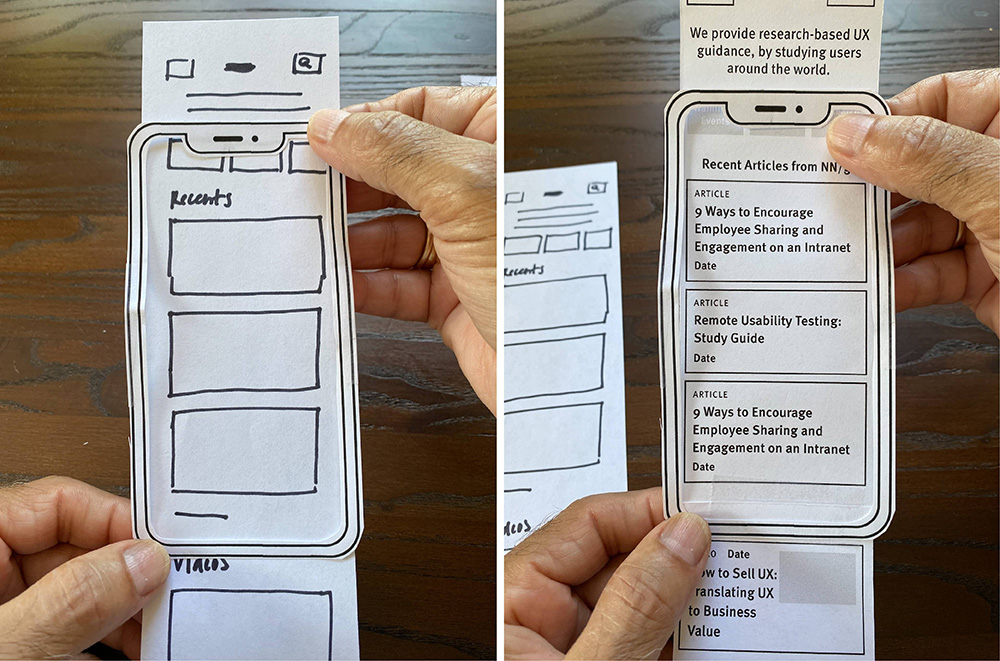
To work out possible problems with the Long Beach Gull, a paper prototype was created. The Long Beach Gull is a companion app for the Long Beach website, meant to provide resources for both the residents and visitors. The app architecture is based on the architecture of the Long Beach website but focuses on features that residents and visitors will both find useful.
Crafting the Gull
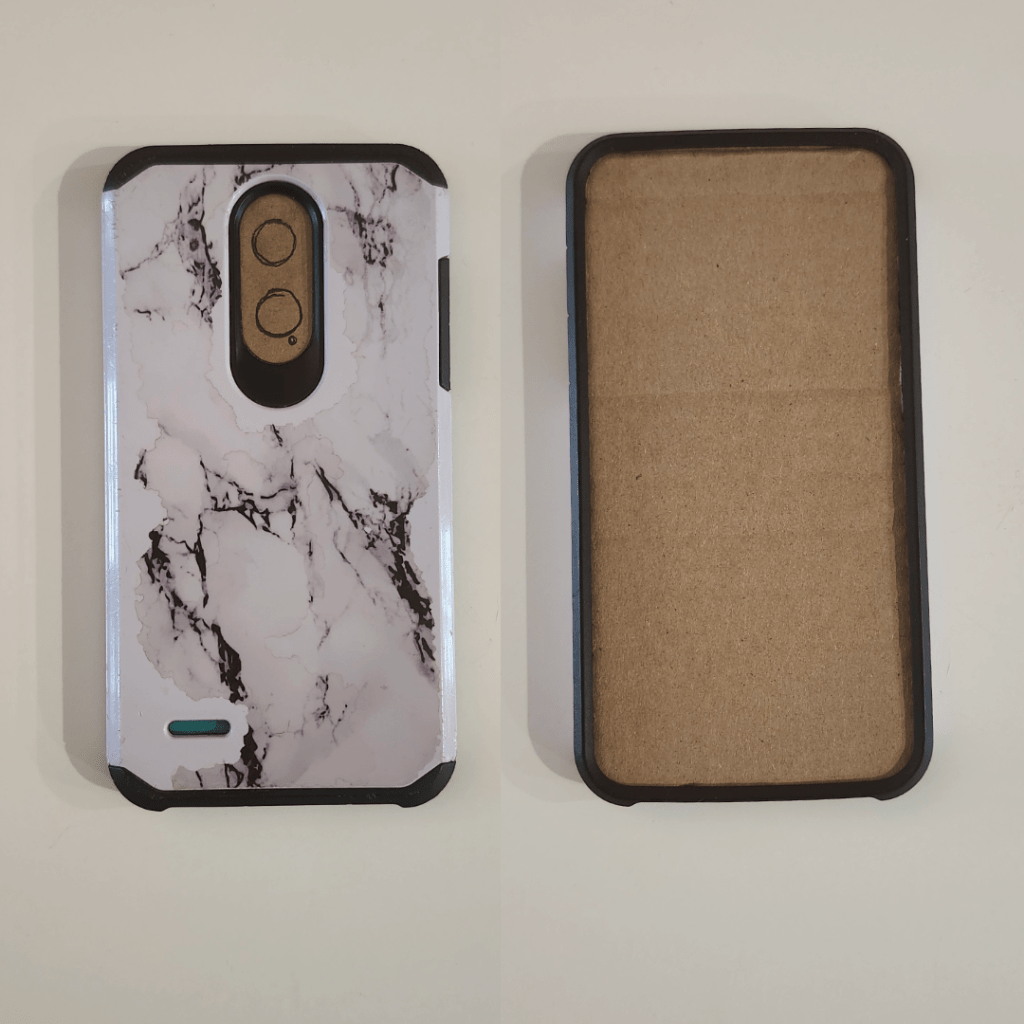
The following materials were used to create a paper prototype: paper, scissors, an old phone case, cardboard, pencil, pen, and colored pencils.
The shape of the phone was cut out of cardboard and put in the case to create a base for the prototype. For the different pages of the app, the shape of the phone was cut out paper. Each page was sketched out in pencil, outlined with the pen, and then colored in. To simulate the different pages, each one is placed in the phone-case-base. Since a paper prototype is low fidelity, not too much concern was placed in cutting out perfect pages. The focus was on creating a layout that is easy for the user to navigate and makes sense.
Designing the Gull
The design of each page is meant to be straightforward for the user to navigate. The home page has buttons to the three core pages of the app, News Hub, Resident Center, and Visitor Center. Each of these buttons leads to a page with a corresponding name. Each subpage leads to another set of buttons which will lead to other pages as well.
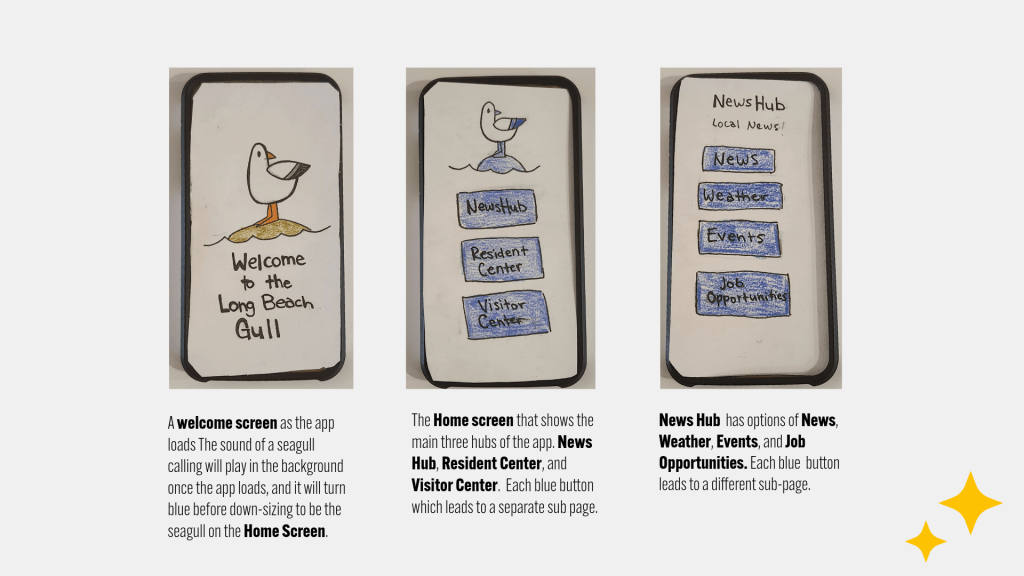
A simple color pallet is used that is based on the color pallet of the website. Certain parts of the app will bring the user to the website in the phone browser, if it is appropriate to the resource. Such as the Government and Business page, which each button on leads to the corresponding page on the Long Beach website in the phone’s browser.
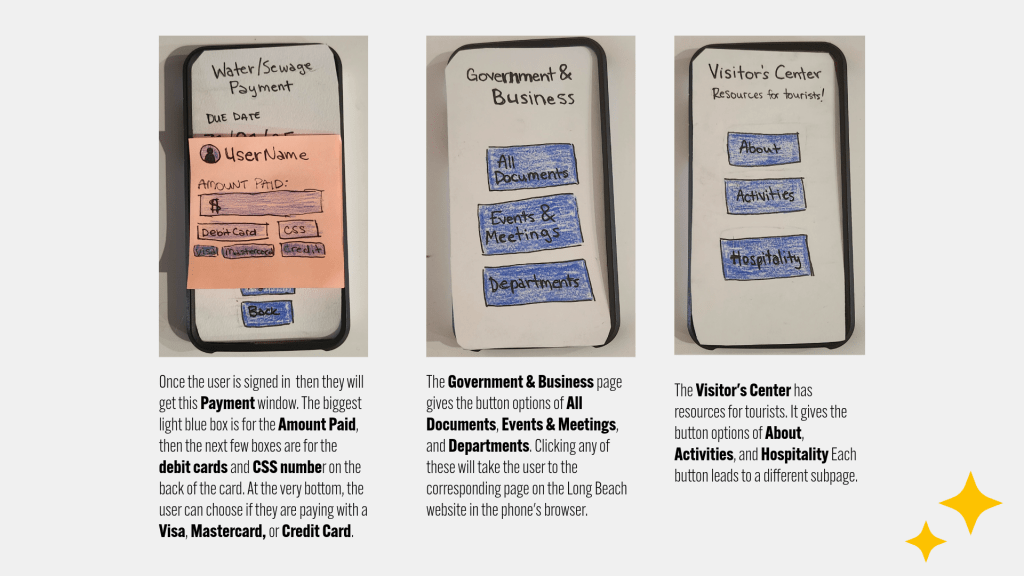
Most of the pages of the app do lead to other in-app pages. For instance, the News Hub has a list of buttons that all lead to different in-app sub-pages, such as News, Weather, Events, and Job Opportunities. The News page shows all the news articles available for locals to read. Clicking view more on an article will take the user to the individual article in a subpage. Though the article will give the user the option to share the article, which will take the user to another app.
The paper prototype helped in the development of the Long Beach Gull because in the creation of all the pages for the mockup, every needed page became clear. As each page was designed, the function of each one had to be thought out. Every button had to lead to something, be it another page in-app or a link to a page in the phone browser.
Having the prop phone case also helped to simulate how the design would look on a small screen like a smart phone. While not all the kinks of this app have been worked out, the paper prototype was still useful in developing the different pages of the app further. While all the functionality is entirely worked out, this same process could be used to fully develop the rest of the app.
Final Thoughts on the Gull
Prototypes are a useful tool to not only visualize a product, but to test the functionality. Depending on the needs of the stage of development of the product, there are different kinds of prototypes to use. For the expansion of the Long Beach Gull, a low fidelity model like a paper prototype worked well.
Citations
Sorodoc, I. (2024, November 13). Low-fidelity vs. high-fidelity prototyping: Key differences explained. ProtoPie. https://www.protopie.io/blog/low-fidelity-vs-high-fidelity-prototyping
 Home
Home 